The Planet Crafter Build 22518998 Download

Game Details
- Release name: The Planet Crafter
- Size: 4.5 GB
- Genre: Adventure, Early Access
- Developer: Miju Games
- Publisher: Miju Games
- Release Date: 24 Mar, 2022
- ALL REVIEWS: Overwhelmingly Positive (10,987)
- ♂ After reviewing the game, BUY the game to support the developer
- https://store.steampowered.com/app/1284190/
Screenshots
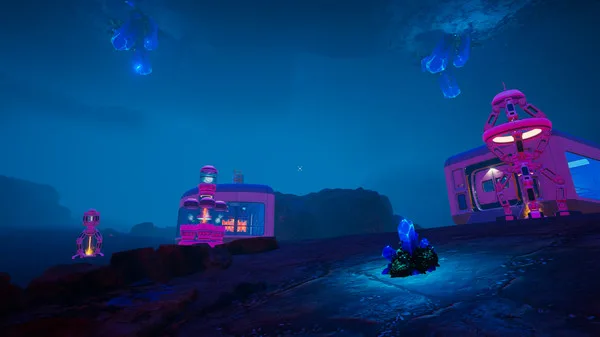
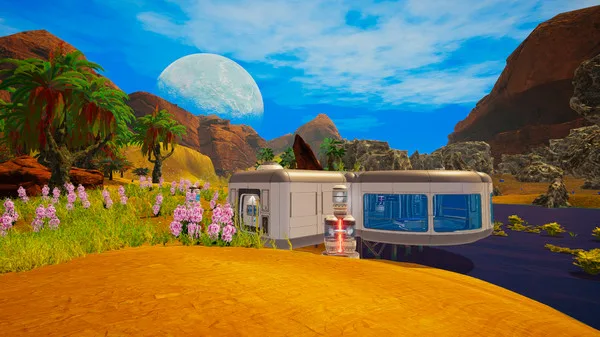
About This Game
The Planet Crafter is an open-world survival and terraforming game where players arrive on a hostile, lifeless planet and work to make it suitable for human life. Starting with limited equipment and supplies, the main objective is to survive the environment, gather resources, build a base, and gradually transform the planet. Instead of focusing only on staying alive, the game gives players a long-term project: changing an entire world through technology and environmental development.
Exploration is an important part of the experience. The planet contains different landscapes, resource deposits, wreckage, caves, and abandoned structures that players can investigate. Each area offers opportunities to collect materials and discover useful equipment or blueprints. Managing oxygen, water, food, and available inventory space is essential, especially during longer trips away from the base. As equipment improves, players can travel farther and collect resources more efficiently.
System Requirements
MINIMUM:
- OS: Windows 7
- Processor: Intel Core2 Duo 2.4GHz or equivalent
- Memory: 4 GB RAM
- Graphics: 2GB VRAM
- Storage: 3 GB available space
How To Install The Game
1) Download the game using a Torrent program or Direct program
2) After downloading the game, go to the downloaded game folder
3) Extract the files with WinRar or 7-Zip
4) Now start the installation with ” Setup.exe “, choose the directory to install
5) Wait until the installation is complete
6) Now just start the game as an administrator with the shortcut that was created on the desktop
7) Play!
General Notes:
– Make sure you have Spacewar installed. Windows Key + R and type (steam://install/480).
– It is recommended to turn off your antivirus as some files get detected as false positive.
– In the case of an offline game, you may need to block it with firewall to prevent it from going online.
– Do not block the game with firewall if you are playing an online game with your friends.
– Turn Off your AntiVirus and Block the game’s exe in your firewall to prevent the game from
trying to go online ..
– If you install games to your system drive, it may be necessary
to run this game with admin privileges instead
– If you have a vac ban then you won’t able to play online games, create a new account if the account you gonna use have one of those.
Download The Game
The Planet Crafter Build 22518998 – Windows & macOS Desktop Technical Guides
Need Windows 10/11 (x64) or macOS (Apple Silicon M1–M4 / Intel) compatibility specs, installation steps, or troubleshooting fixes for The Planet Crafter Build 22518998? Explore our dedicated desktop sub-guides:
- The Planet Crafter Build 22518998 Windows & macOS System Requirements
- How to Install The Planet Crafter Build 22518998 (Windows & Mac Setup)
- The Planet Crafter Build 22518998 Startup Crash, DLL & Permission Fixes
- The Planet Crafter Build 22518998 Latest Build Changelog & Patch Notes